Put your agent to work
Leads, events, paid media, segments, dashboards, workflows and context, all operated from your favorite AI agent, with the permissions you set for each area.
On and off
The admin decides whether the account accepts agents. Just turn off MCP to block all of them from Laiki.
Permissions by area
In each area of Laiki, the admin sets what the agent can read and what it can edit. Whatever is left out, it doesn't touch.
Who has access
Each person connects their own agent with their Laiki login, never beyond their own permissions. The admin sees who connected which agent.
Many companies, one agent
A single agent reaches every Laiki organization you belong to. Manage several companies in the same conversation, each with its own admin's rules.
Context
Teach your business to the agent
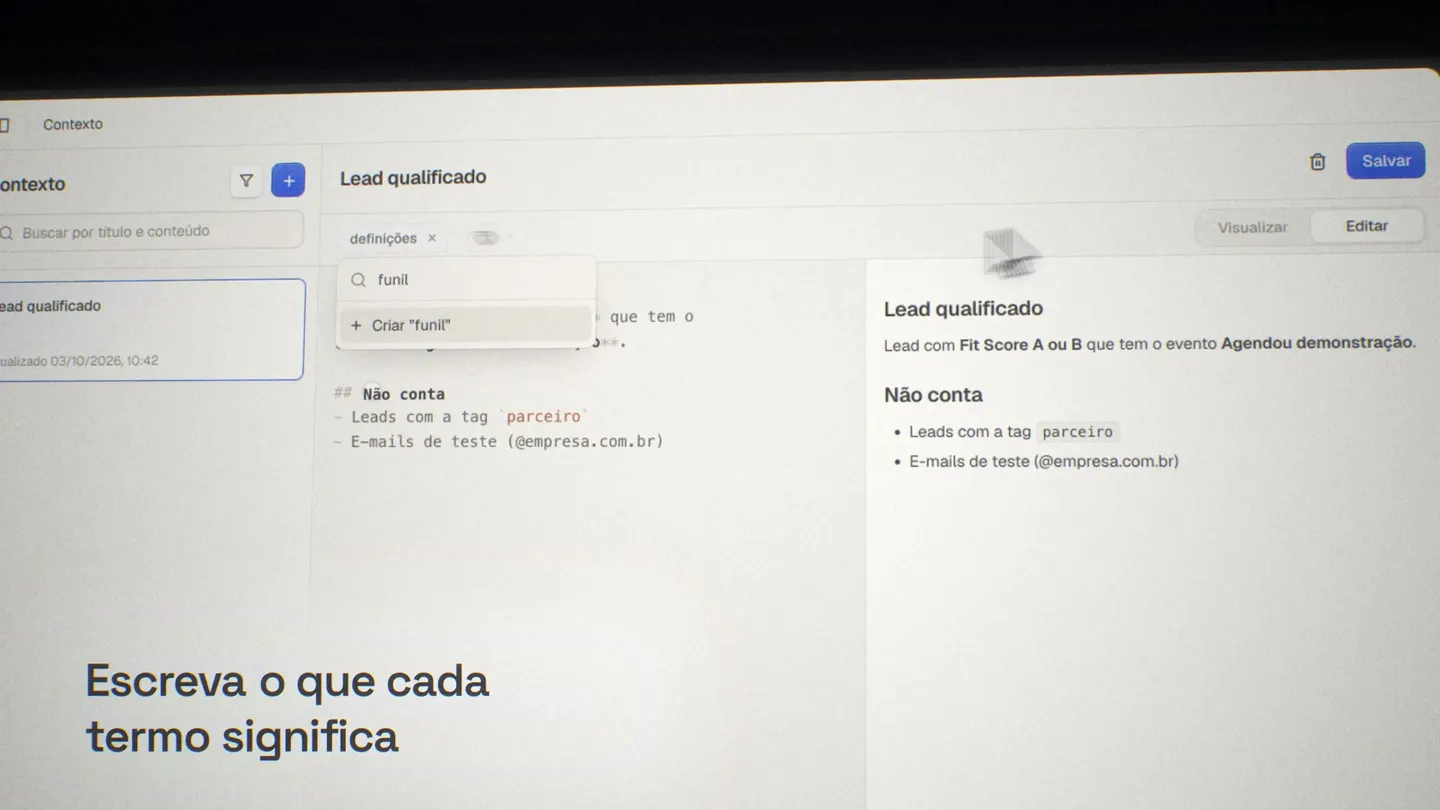
Write down how your company defines a qualified lead, the funnel stages and the attribution rules. The agent reads these documents through MCP before answering and follows your criteria.
Talk to your data
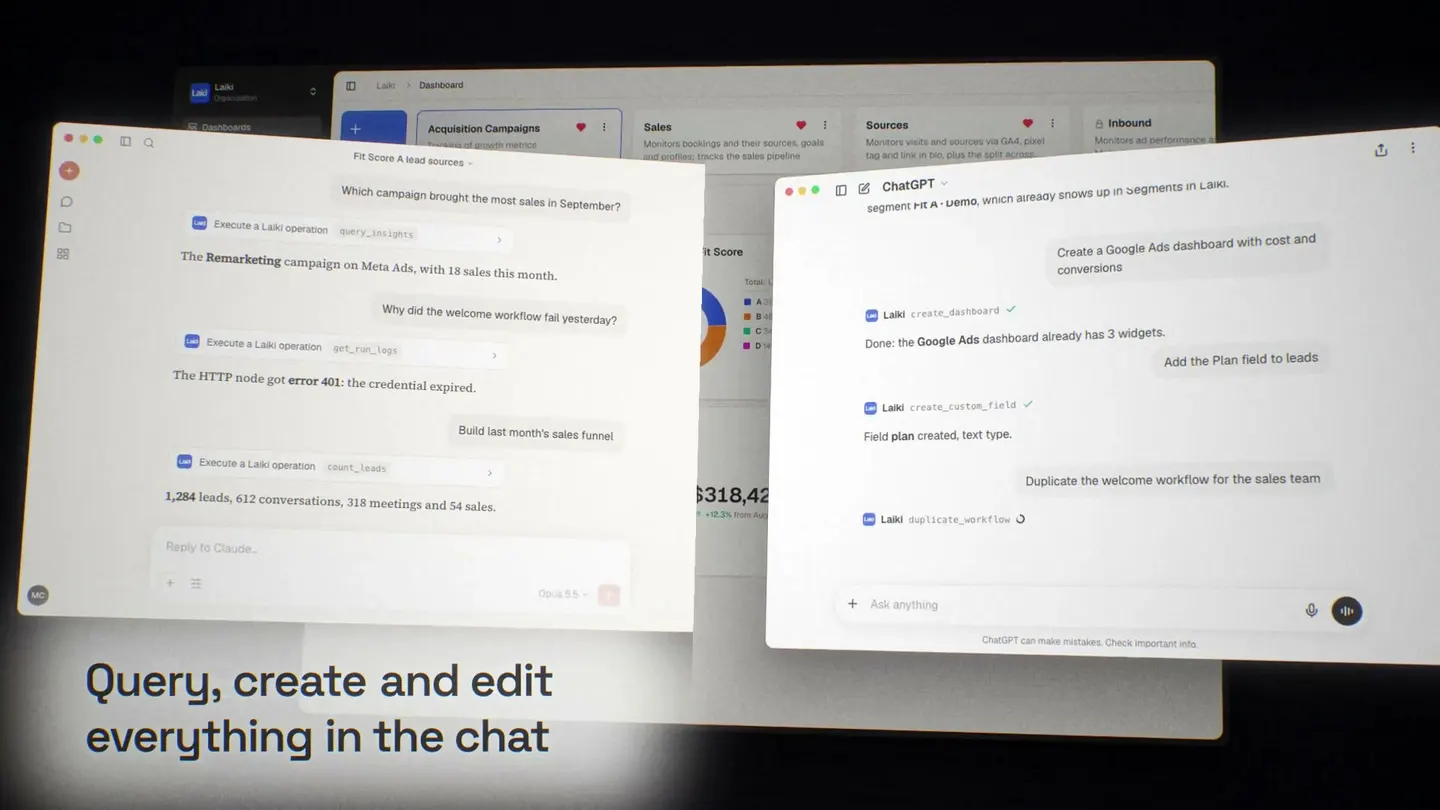
Connect Laiki to your AI agent through MCP and analyze metrics, create segments, dashboards and workflows just by talking. You choose what the agent can read and edit.
Your agent, your data
Connect Laiki to Claude, ChatGPT or any other MCP-compatible agent. The analysis happens in the tool you already use, with no new screen to learn.
Ask
Ask where this month's leads came from, which channel converts best or where the funnel gets stuck. The agent queries Laiki and answers with the real numbers of your operation.
Paid media
Spend, CPL and CPA from Google Ads, Meta Ads and LinkedIn Ads next to the leads each campaign brought in. Find out what works and what only spends.
You're in control
Choose, group by group, what the agent can read and what it can edit. It doesn't delete data or turn on automations by itself.
Segments
Describe the audience in one sentence. The agent builds the rules, shows how many people match before saving and creates the segment in Laiki.
Dashboards
Ask for the metrics you want to see. The agent creates the dashboard and the charts with the right metrics, and you review them before publishing.
Workflows
Explain the automation and the agent builds the workflow as a draft. It also reads the runs to find where something failed. Activating it is up to you.
Business context
Write down once how your company works and the agent uses that context in every answer, always with your criteria.
Never make another decision in the dark
We set up your data operation alongside you and get your team ready to decide. Book a conversation and try it with your own data.