How Laiki's integrations with other platforms work
See how Laiki integrates with other platforms: OAuth2 credentials for paid media and no-code Workflows for any CRM, with security at every layer.
Published on
5 min read
Laiki centralizes marketing and sales data in two different ways, and the choice between them is not aesthetic, it is technical. Paid media and analytics accounts (Meta Ads, Google Ads, LinkedIn Ads, GA4) connect through native OAuth2 credentials, with no manual setup. Any other system, such as a CRM, a website form, or an internal API, connects through Workflows, the platform's no-code builder. Understanding the difference between the two avoids the most common mistake: trying to force a CRM integration through the path designed for paid media, or the other way around.
Credentials: native integrations via OAuth2
When it comes to paid media and analytics, Laiki connects directly at the source using OAuth2, the market-standard protocol for authorization between platforms. In practice, you authorize access through the login screen of the source platform itself (Meta, Google, or LinkedIn), and Laiki never sees or stores your password. What it receives is an access token, with a scope restricted to what the source platform grants, and which can be revoked at any time, directly at the source, without depending on any action from Laiki.
This is the model behind the connectors for Meta Ads (including multiple portfolios), Google Ads (MCC accounts and PMAX campaigns), LinkedIn Ads, and GA4, among others. Setup takes minutes: you select the account, authorize access, and Laiki starts organizing investment, click, and conversion data automatically, without anyone needing to type a line of code.

among others
Workflows: when the ready-made connector does not exist
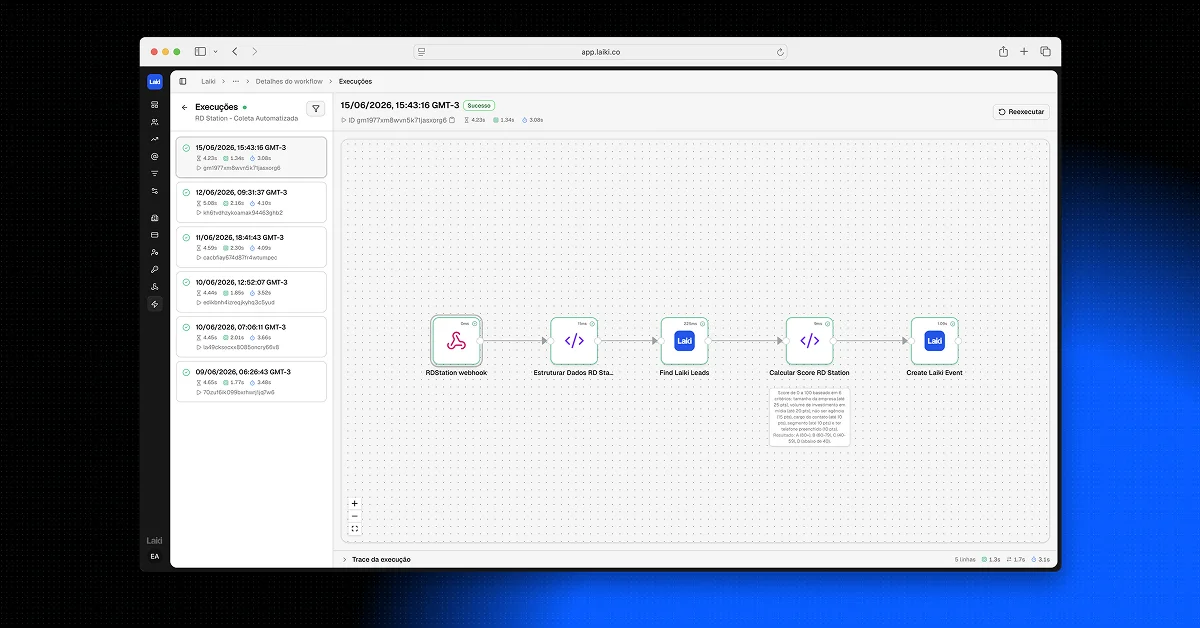
Not every system has a ready-made "connect" button, and that is where Workflows come in. Workflows is Laiki's no-code builder: you assemble a flow with trigger nodes (a webhook receiving data from a form, for example), code transformation nodes (to normalize the payload), and HTTP request nodes, which talk to any public API.
This is how Laiki integrates with RD Station, Pipedrive, Kommo, CV CRM, Exact Sales, ClickUp, Asaas, Conta Azul, and any other system that exposes an API, even without a ready-made native connector. Each Workflow has native idempotency, which avoids the classic duplicate lead problem when the same form fires twice. And since the flow is built node by node, you can route conditionally (for example, only send the conversion to Meta when the lead belongs to a specific segment) and normalize payloads that arrive in different formats from site to site.
Which of the two to use
The short answer: it depends on where the data is born. If the source is a paid media or analytics account already natively supported, use OAuth2 credentials, it is faster and requires no technical work. If the source is a CRM, a custom form, a chatbot, or any system without a ready-made connector, the path is Workflows.
This also explains why Workflows is, in practice, the most used feature among more mature operations: while the number of media accounts is limited, the number of systems specific to each operation (a proprietary CRM, a landing page with a custom form, a WhatsApp chatbot) tends to grow over time. Workflows is not limited to what the source platform offers, because you are the one who designs the rule.
Security in every integration layer
The question every marketing manager needs to ask before approving a new integration is: what if this access leaks? In both approaches, the answer changes, but the security foundation is the same.
With OAuth2 credentials, the access token never circulates in plain text and the permission scope is restricted to what the source platform itself grants. Revoking access does not depend on Laiki: it happens directly in the settings screen of Meta, Google, or LinkedIn, at any time.
In Workflows, when a destination system requires its own credential (an API key, for example), it is stored encrypted (AES-256-GCM) and isolated by organization at the database layer, which means that one account's credential is never accessible by another. All communication travels over TLS/HTTPS, and every integration action is recorded in an audit log, which makes it possible to trace exactly when and through where a piece of data entered the platform.
This security standard is the same one that underpins Laiki's compliance with LGPD (Brazil's General Data Protection Law): a designated DPO, passwordless authentication on the platform, anonymization on demand, and AWS infrastructure with Cloudflare, with daily backups. A manager who approves the tool internally is not just approving an integration feature, but a data governance model.
A real example: NVR's multi-system integration
NVR Empreendimentos is an example of an operation that depends on Workflows to work end to end. Leads arrive through forms on several different landing pages and sites, each with a different field name for name, email, and phone. A single Workflow receives all of these forms, normalizes the data (regardless of which site the lead came from), and creates the event in Laiki already identifying the originating development.
"Laiki solved what no other company managed to: real personalization and real data. We can see behavior, what works, and follow the complete sales process, all with very close support."
Eduardo Monteiro, Media Manager, Incorporadora Valor Real
Next, another Workflow fetches the lead's data directly from the CVCRM API (the operation's CRM), enriches the event with commercial funnel information and, when the lead belongs to a specific segment, sends the conversion to the Meta Conversions API. It is an entire integration chain running with no manual intervention, from the website form to the conversion signal that goes back to Meta to optimize the campaign.
Frequently asked questions
Do I need to know how to code to build a Workflow?
No. The builder is no-code, designed to be assembled visually. Technical knowledge helps with more advanced nodes, but it is not a prerequisite for the basics.
Are Workflow integrations as secure as OAuth2 ones?
Yes, they follow the same security standard as the platform: encryption, isolation by organization, and audit logs. The difference is in the trust model: with OAuth2, the source platform grants and revokes access; in Workflows, the destination credential is managed within the account itself.
If your operation still depends on exporting spreadsheets to combine CRM data with paid media data, it is worth learning how to get out of spreadsheets and unify marketing and sales data without it turning into an IT project. And once everything is integrated, it is this organized base that sustains the Laiki dashboards, always up to date and without depending on manual work.
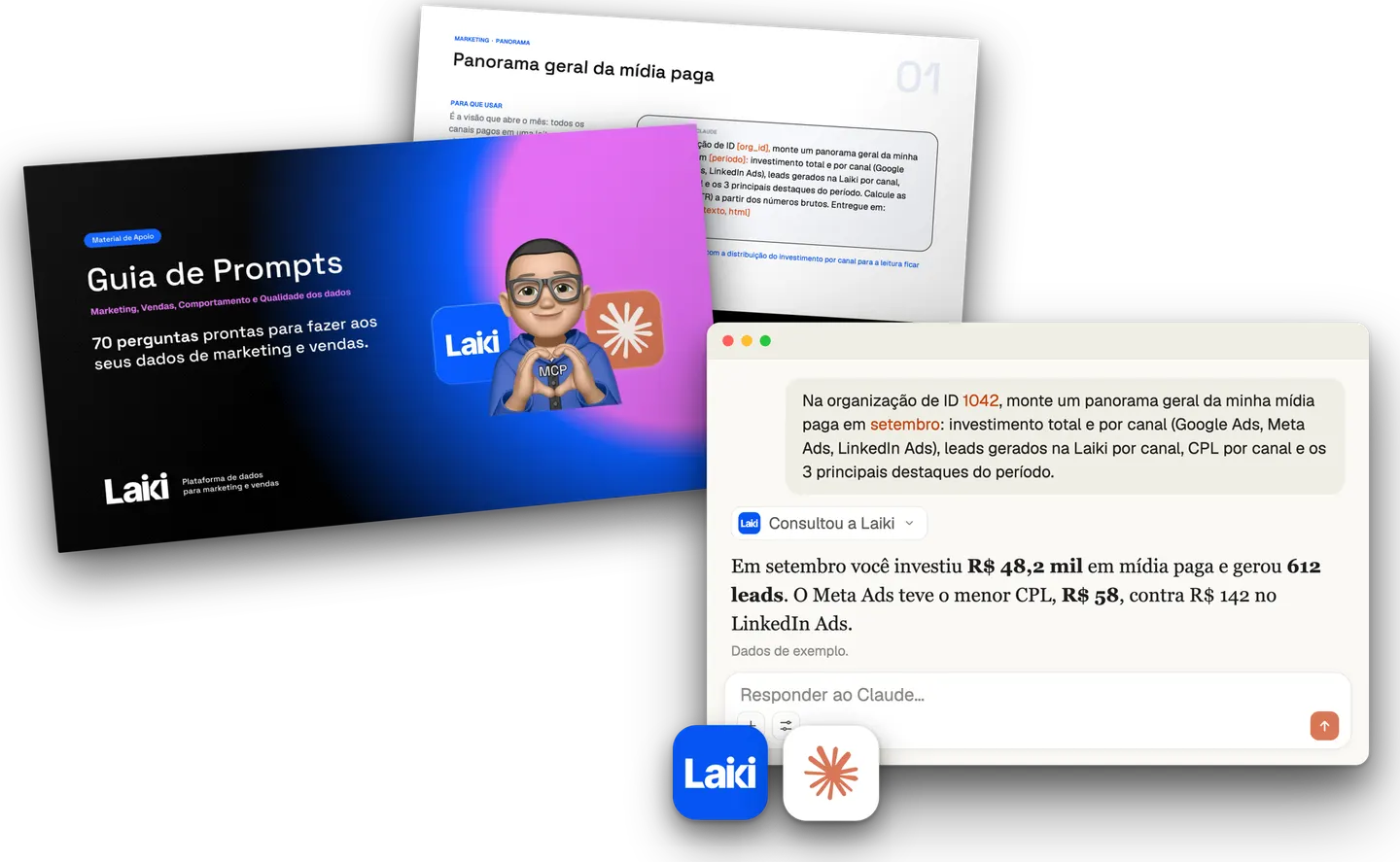 Resource · In PortuguesePrompt Guide for Marketing and Sales70 prompts with questions about marketing, sales and behavior to ask your data.Download the guide